Knowledge Base
WhatsApp Messaging
Scheduling WhatsApp notifications
You can set up WhatsApp messages to be sent to attendees who opted in to receive tickets via WhatsApp.
These messages can be scheduled up to five days in advance and can be used for important updates, such as venue changes, postponements, etc.
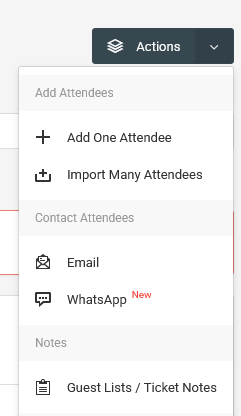
To set up WhatsApp messaging, go to the Attendees page.
After that, go to Actions > WhatsApp.
On the new page, choose the event to target the attendees from.
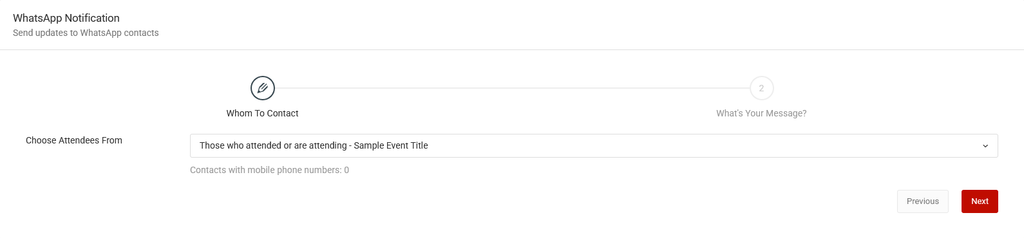
Click the Next button.
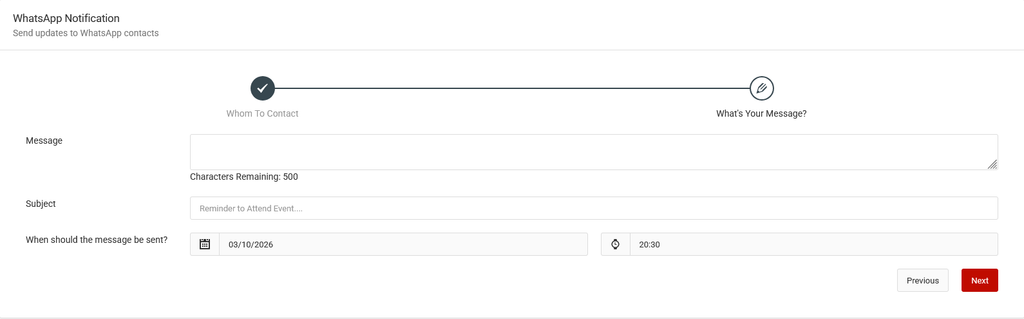
On the new screen, compose the message.
Then choose the day and schedule (up to five days in advance), then enter a title to identify the message schedule.
Making changes to the schedule
To make changes, scroll down to the table at the bottom of the page.
On the table, go to Actions > Edit. Other options include reviewing the message or deleting the entire schedule.
Viewing the schedule status
To view the schedule status, scroll to the Manage Scheduled WhatsApp Messages table.
The table will show the number of attendees scheduled to be messaged, and after the messages have been sent, the number of messages delivered.